
![Meet Tauri [2.0]](/_next/image?url=%2Fthumbnails%2Ftauri-guide.png&w=3840&q=75)
The first time someone described Tauri to me, they said you build a desktop app using HTML, CSS, and JavaScript. My reaction was skepticism. That sounds like a website in a window, not a real application. Then they pointed out that VS Code, Slack, and Discord are all built the same way, using Electron, which is the older and more popular version of this approach. Those are real applications, used by millions of people every day. The architecture has a name: hybrid desktop apps. It is not a hack, and it is not new.
It goes like this:
UI Layer (web technologies)
        ↓
   Native bridge
        ↓
   OS capabilities
Your interface is built with the web platform. A bridge connects it to the operating system. The bridge is what turns a web page into a desktop application.
Electron Proved This Works
You have probably used Electron apps without realizing it. VS Code, Slack, Discord, and a long list of other desktop tools are all built with it. Electron took the position that bundling a full browser engine inside every app was a reasonable price for letting web developers ship desktop software without learning a new stack.
HTML / CSS / JS
      ↓
Chromium + Node bridge
      ↓
      OS
The tradeoff is size. Every Electron app ships with its own copy of Chromium and Node. A small Electron app can be 150 megabytes on disk because it contains an entire browser. Memory usage follows the same pattern: each Electron window brings its own Chromium process.
Tauri takes the same philosophy but makes different tradeoffs:
HTML / CSS / JS
      ↓
  Tauri IPC
      ↓
    Rust
      ↓
     OS
Instead of bundling a browser, Tauri uses the WebView that is already installed on the user's system. On Windows that is WebView2, on macOS it is WKWebView, on Linux it is WebKitGTK. Instead of Node, the backend is Rust.
| Electron | Tauri | |
|---|---|---|
| Browser engine | Bundled Chromium | System WebView |
| Backend | Node.js | Rust |
| App size | Large (100+ MB) | Small (2-10 MB typical) |
| Security model | Node has full system access | Frontend is untrusted by default |
| Memory | Higher (full Chromium per app) | Lower (shares system WebView) |
The size difference is what most people notice first. The security model is the more interesting distinction, and I will get to it.
One Process, Not Two
When I first started reading about Tauri, I kept looking for the part where the frontend connects to the backend. I was carrying the web model in my head, where the browser talks to a server over HTTP, and I assumed Tauri would have something similar. A localhost API, maybe, or some kind of embedded server the WebView talked to.
That is not what happens.
When you run:
pnpm tauri devone Rust executable starts. That executable does four things:
- Creates a native OS window
- Creates a WebView inside that window
- Loads your frontend into the WebView
- Creates an IPC bridge between the WebView and the Rust code
Rust executable
├── native window
├── WebView (your React/Vue/Svelte app)
└── IPC bridge
There is no separate frontend server. There is no localhost API. There is no separate backend process. The Rust process is the orchestrator. It creates the window, loads the web UI into it, and stands by to handle messages from it.
That is the part I had to sit with for a while. In a web app, the browser and the backend are two separate programs running on different machines. The browser discovers the backend through a URL. In Tauri they are one program. The "backend" is just the Rust code running in the same process that created the WebView in the first place. If you have used Next.js, this is closer to that. Your frontend and your API routes are one project, one process, with the framework handling the routing. You do not deploy a separate frontend and backend. Tauri is the same shape.
How JavaScript Talks to Rust
Coming from web development, you would expect to just import something and call it. That is how everything in JavaScript works. You install a package, you import it, you use it.
Tauri gives you a helper that looks exactly like that:
import { invoke } from "@tauri-apps/api/core";

const result = await invoke("greet", { name: "John" });
And on the surface, that is what it is. You call something, you get a result back. But underneath, none of this works the way you would recognize from the web. There is no shared module. There is no imported function. You are sending a message to another process and waiting for it to respond.
JavaScript
   |
   | message: { command: "greet", args: { name: "John" } }
   |
   IPC bridge
   |
   Rust command dispatcher
   |
   fn greet(name: String) -> String
   |
   | returns: "Hello, John"
   |
JavaScript Promise resolves
On the Rust side, the function that receives this looks like:
#[tauri::command]
fn greet(name: String) -> String {
    format!("Hello, {}", name)
}
The #[tauri::command] attribute registers the function with the IPC dispatcher. When JavaScript calls invoke("greet", ...), the dispatcher finds this function, passes the arguments, and returns the result. The JavaScript side gets a Promise. The Rust side runs a real compiled function.
The name for this is IPC, Inter-Process Communication. The reason it exists is that two processes cannot directly reach into each other's memory. They have to communicate through messages. What you are looking at above is a structured way for two processes to exchange data without sharing memory.
There was one part of this that tripped me up. In a web app, the browser talks to the backend over HTTP, which means it needs a port, something like localhost:3000. In Tauri, there is no port. I kept looking for where the connection was set up and could not find it, because there is no connection. The IPC bridge is created internally by the Tauri runtime. It is like two rooms in the same building. You do not call someone on the phone when they are in the next room. You use the internal mail chute.
The Bridge Is Already There
Once I understood that there was no port, the next question was obvious: if there is no server, how does the JavaScript find the Rust?
The answer is that it does not find it. It does not have to.
When the Rust process creates the WebView, it injects the communication bridge into it. Conceptually:
Rust runtime
   |
   | injects
   |
window.__TAURI__
When your JavaScript calls invoke(), it uses that bridge. The frontend does not discover Rust. There is no URL to point at, no port to connect to. Rust built the environment the frontend runs in, and the communication channel was part of that environment before the first line of JavaScript loaded.
That is a clean difference from the web model. On the web, the browser discovers the backend through a URL. In Tauri, the backend created the environment the frontend runs in, and the communication channel was part of that environment from the start.
Where the Trust Boundary Lives
The frontend is untrusted. That is true of every frontend, and it is not the interesting part. The interesting part is where each framework puts the trust boundary and what it lets you scope.
In Electron, the Node backend has full system access by default. Whether the frontend gets that access is a config flag, nodeIntegration. Set it to true and your renderer can call child_process, fs, anything Node can do. Set it to false and the renderer is sandboxed, but the main process still has full access, and you typically expose what you need through ipcMain.handle. The boundary is "does the frontend have the Node API or not." It is a binary gate. There is no capability system that says the frontend can call exportReport but not deleteFile. You write that logic yourself in every IPC handler.
In Tauri, the frontend has zero access by default. Every command the frontend can call must be explicitly registered as a #[tauri::command], and the capability system controls which commands the frontend is allowed to invoke. Only the Rust side has OS access. The capability system scopes what the frontend can ask for. You do not write a guard in every handler. The framework enforces it.
| Electron | Tauri | |
|---|---|---|
| Backend OS access | Full by default | Full, but only Rust has it |
| Frontend access to OS | Config flag (nodeIntegration) | None by default |
| What frontend can call | Whatever you expose via ipcMain.handle | Only commands registered with #[tauri::command] |
| Scoping per command | You write the guard logic yourself | Capability system scopes each command |
The restaurant analogy still holds. The dining room staff put orders on a ticket rail. The kitchen decides what to make and how to make it. But in Electron, the kitchen door has a lock, and you have to remember to lock it and decide who gets a key. In Tauri, the kitchen door starts locked, and every specific dish the dining room can order has to be added to the menu explicitly. The default is "nothing is on the menu." You add items one at a time, and the framework enforces it.
The Build
During development, two things run at the same time:
Frontend: Vite dev server (hot reload, fast refresh)
Backend:  Cargo (Rust compiler, watching for changes)
You edit your React components, Vite hot-reloads them. You edit your Rust code, Cargo recompiles. The native window stays open while both sides update.
In production, the frontend is built and the Rust is compiled into a release binary. The two are packaged together:
Frontend build
      +
Rust release build
      |
      v
Native application
The output depends on the target:
| Platform | Output |
|---|---|
| Windows | .exe / .msi |
| macOS | .app / .dmg |
| Linux | AppImage / .deb |
| Android | .apk / .aab |
| iOS | .ipa |
Tauri mobile is worth noting here. On mobile, the architecture is the same: your web UI runs in the platform's WebView, Android WebView or iOS WKWebView, and Rust is compiled natively for the mobile platform. It is not React Native. There is no JavaScript-to-native-UI bridge. The UI is a WebView, and Rust handles the native side.
Browser vs Tauri
Your React app can run in a plain browser with pnpm dev. But invoke() will not work, because there is no Rust runtime and no IPC bridge. The function exists in the JavaScript package, but when it tries to send a message through the bridge, there is nothing on the other end.
In Tauri, the Rust runtime is running, the bridge exists, and invoke() carries messages to real Rust functions. That is the difference between opening your app in Chrome and running it through Tauri. The code is the same. The runtime is different.
When It Fits
Tauri works well for:
- Desktop productivity apps
- Developer tools
- Business software
- Note-taking apps
- File utilities
- Internal company tools
- Cross-platform utilities that need to run on Windows, macOS, and Linux
It is less ideal for:
- High-performance 3D games
- Graphics-heavy applications where you need every native UI detail
- Apps that need deep platform-specific integration with OS-level UI frameworks
The good fits all share something: the interface is the work, and the operating system provides supporting capabilities like file access, notifications, and window management. The poor fits are the opposite: the native platform's graphics or UI system is the work, and a web UI gets in the way.
The Mindset Shift
The question I started with was whether we are really designing interfaces instead of desktop apps. The answer is yes, but the framing matters.
You are not putting a website in a desktop window. You are building a native application where the UI technology happens to be the web platform. That distinction is what makes the architecture work. The Rust side is a real native backend with real OS access. The web side is the presentation layer. The bridge between them is where the trust boundary lives.
A website in a window would be a browser pointing at a URL, with no native capabilities. What Tauri gives you is a compiled native application that happens to render its interface with web technologies. The difference is the Rust backend, the IPC bridge, and the security model around it.
Read more
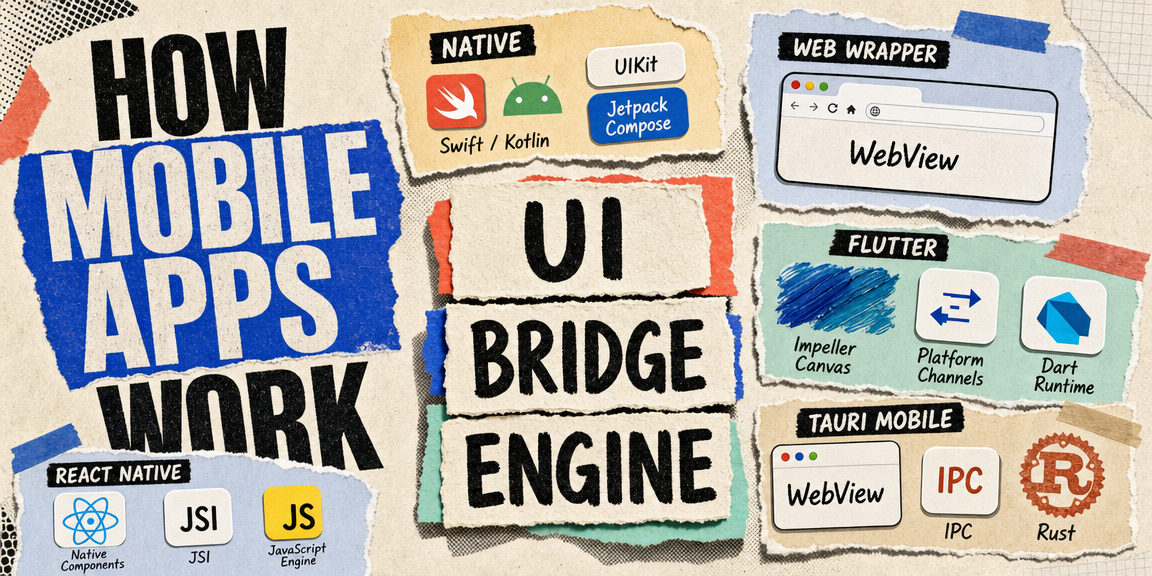
How Mobile Apps Work
The three ways to build a mobile app, what each one actually runs under the hood, and the shared architecture pattern behind React Native, Flutter, and Tauri mobile.
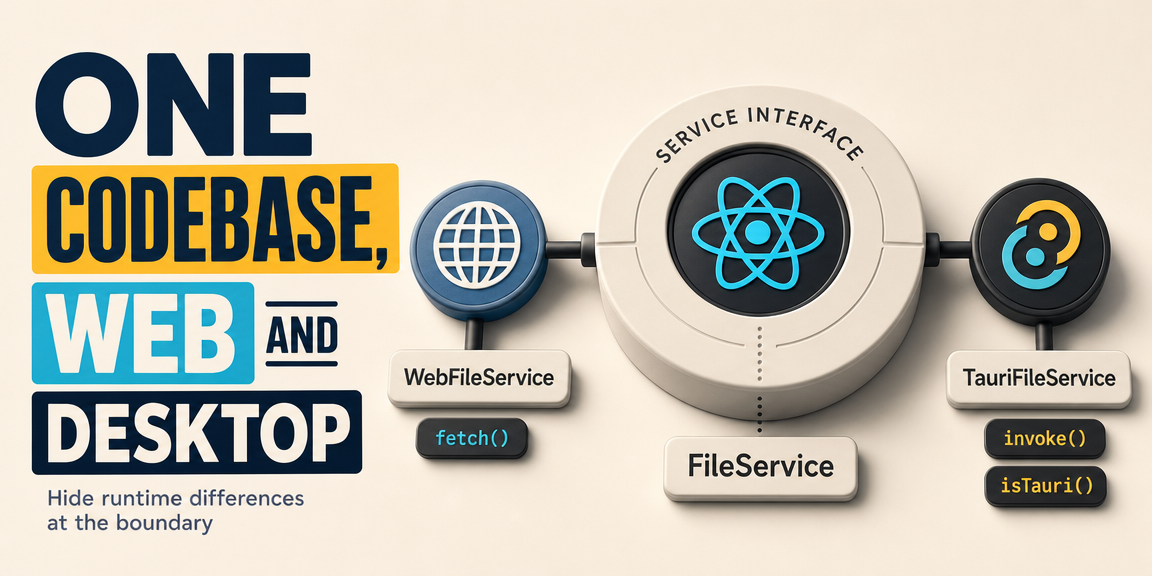
One Codebase, Web and Desktop
How to design a Tauri app so the same React code runs in the browser and on the desktop, by putting the runtime differences behind a service interface.
Pooling API Keys with Bifrost
A practical guide to configuring API key pooling in Bifrost, and how to safely scale it across multiple nodes by externalizing your rate limits.