
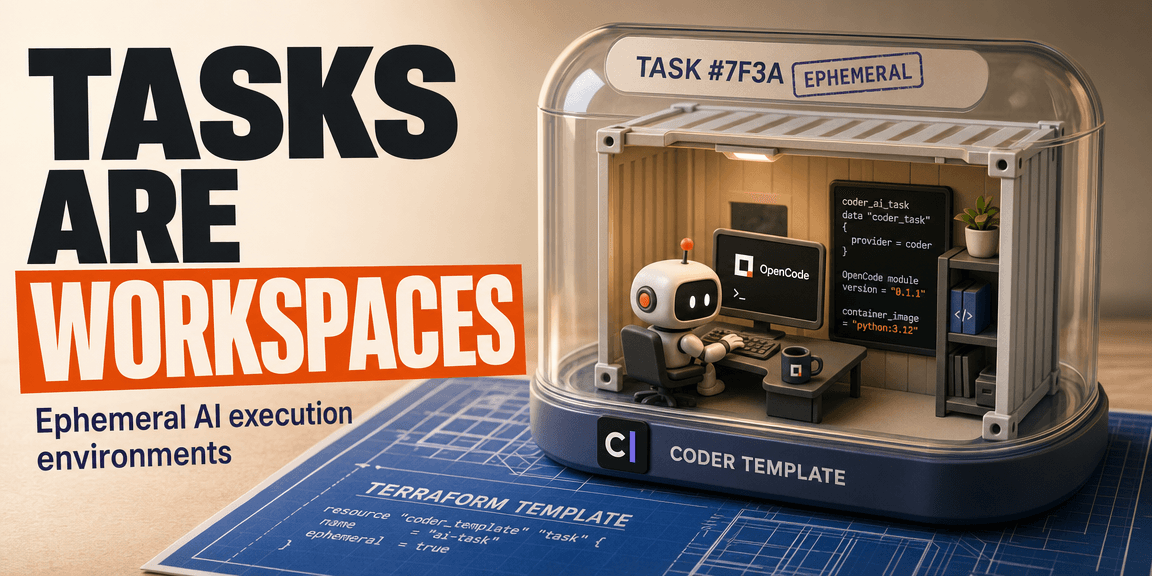
Coder is easier to understand once you stop thinking of it as just a remote IDE platform. At its core, Coder gives you reproducible development environments on demand. A user clicks a button or runs a CLI command, and Coder provisions a workspace from a predefined template. That workspace might run inside a Docker container, a Kubernetes cluster, a cloud VM, or another infrastructure target. The developer connects to it using tools like VS Code, JetBrains IDEs, a terminal, or a browser-based editor.
Coder Tasks build on that same foundation, but repurpose it for AI coding agents. Instead of creating a workspace for a human developer to use interactively, a task creates an isolated, ephemeral workspace for an autonomous agent to run in. That distinction matters. Coder Tasks are not a separate execution platform. They are standard Coder workspaces with an AI-agent-oriented interface.
The Basic Coder Model
To understand Coder, you need three concepts: workspaces, templates, and provisioners.
A workspace is an isolated development environment. It is the computing entity that the developer or AI agent interacts with. A template defines how that workspace is constructed. Coder templates are written in Terraform, which means they can describe local containers, Kubernetes pods, cloud VMs, persistent volumes, agents, exposed applications, metadata, and user-configurable parameters.
A provisioner is the process that executes the Terraform code. This detail matters more than it appears. The infrastructure providers you specify in your templates run wherever the provisioner runs, not inside the newly created workspace.
Coder server -> Provisioner runs Terraform -> Docker, Kubernetes, or cloud provider creates workspaceIf your template uses the Docker provider, Docker access must be available on the machine running the provisioner. If the provisioner itself is containerized, that container needs direct access to the host's Docker socket, a remote Docker host, or whatever Docker connection you have configured.
Templates Are Terraform With Coder Data Sources
A minimal template usually declares the Coder provider, an infrastructure provider, workspace data sources, a Coder agent, and the resources that constitute the workspace.
terraform {
  required_providers {
    coder = {
      source  = "coder/coder"
      version = ">= 2.13"
    }
    docker = {
      source  = "kreuzwerker/docker"
      version = "~> 3.0"
    }
  }
}

provider "docker" {}

data "coder_provisioner" "me" {}
data "coder_workspace" "me" {}
data "coder_workspace_owner" "me" {}

resource "coder_agent" "main" {
  arch = data.coder_provisioner.me.arch
  os   = "linux"
}
The Coder agent is what allows the Coder server to connect into the workspace, expose running web apps, execute startup scripts, and report status. The infrastructure provider creates the environment. With Docker, that means containers and volumes. With Kubernetes, pods and persistent volume claims. With cloud providers, VMs and persistent disks.
Terraform Variables vs Coder Parameters
One of the easiest places to get confused is the difference between Terraform variables and Coder parameters.
Terraform variables are set by the template administrator when the template is pushed to the server. They are useful for infrastructure-level configuration and enforcing static values that users should not choose. Coder parameters, on the other hand, are shown to the user when they create a workspace or a task. They let users choose things like a container image, a geographic region, CPU size, an LLM model, or a custom work directory.
| Concept | Set by | Set when | Best for |
|---|---|---|---|
| Terraform variable | Template admin | Template push | Secrets, defaults, infrastructure config |
| Coder parameter | End user | Workspace or task creation | User choices |
This example shows both side by side:
variable "anthropic_api_key" {
  type      = string
  sensitive = true
}

data "coder_parameter" "container_image" {
  name         = "container_image"
  display_name = "Container Image"
  type         = "string"
  default      = "ubuntu:22.04"
  mutable      = false
}
The coder_parameter block is a data source. During workspace creation, it fetches the user's chosen value from the Coder UI.
There is a security detail here worth noting. Marking a variable as sensitive = true prevents Terraform and Coder logs from printing the value, but it does not protect the value once it is inside a running workspace. If you inject a secret into a container as a plain environment variable, anyone with shell access to that container can read it.
The Two Phases of Template Execution
Coder templates behave differently during template import than during workspace creation. During coder templates push, Coder parses the Terraform code, extracts any defined parameters, builds the UI form, asks for Terraform variable values, and detects whether the template supports AI tasks.
During workspace creation, Coder displays that form to the user, stores their chosen parameter values, runs terraform apply, and lets the data "coder_parameter" blocks fetch those values mid-execution. This split is why Coder parameters can feel strange at first. They are not normal Terraform variables. They are Coder-managed values that Terraform only reads during the apply phase.
Ephemeral parameters add one strict rule. If you declare ephemeral = true, that parameter must also be marked as mutable and must have a default value.
data "coder_parameter" "api_key" {
  name      = "api_key"
  type      = "string"
  mutable   = true
  ephemeral = true
  default   = ""
}
Ephemeral parameters are useful when you want a sensitive or temporary value supplied at creation time without storing it in the workspace's long-term metadata.
What Coder Tasks Add
Coder Tasks provide a streamlined interface for running AI coding agents inside isolated workspaces. A user creates a task with a natural language prompt. Coder stores that prompt. Terraform provisions the workspace. The template fetches the stored prompt and passes it to the agent integration inside the environment.
User submits task prompt
        |
        v
Coder stores prompt
        |
        v
Terraform provisions workspace
        |
        v
Agent receives prompt and runs inside workspace
Every task gets its own workspace. That gives the AI agent an isolated filesystem, a clean set of dependencies, access to tools, and a runtime environment. The workspace usually does not need GPUs because the agent talks to external LLM APIs over the network. A Coder template becomes task-capable when it defines a coder_ai_task resource.
resource "coder_ai_task" "task" {
  app_id = module.opencode.task_app_id
}
The stored task prompt can be fetched using the data "coder_task" data source.
data "coder_task" "me" {}

module "opencode" {
  ai_prompt = data.coder_task.me.prompt
}
From the end user's perspective, starting a task can be as simple as this command:
coder tasks create \
  --template my-template \
  --parameter container_image="python:3.12" \
  "Refactor the authentication module"
The key part is that the task prompt becomes infrastructure input. The workspace is created around the job the agent needs to perform.
Where OpenCode Fits
The OpenCode Coder module integrates OpenCode into a Coder workspace. It can expose OpenCode as an interactive app, run it in background task mode, pass in prompts, and configure authentication or model settings.
A simple module configuration looks like this:
module "opencode" {
  source   = "registry.coder.com/coder-labs/opencode/coder"
  version  = "0.1.1"
  agent_id = coder_agent.main.id
  workdir  = "/home/coder/project"
}
For task usage, it connects to data.coder_task.me.prompt and wires into the coder_ai_task resource.
data "coder_task" "me" {}

resource "coder_ai_task" "task" {
  app_id = module.opencode.task_app_id
}

module "opencode" {
  source           = "registry.coder.com/coder-labs/opencode/coder"
  version          = "0.1.1"
  agent_id         = coder_agent.main.id
  workdir          = "/home/coder/project"
  ai_prompt        = data.coder_task.me.prompt
  auth_json        = data.coder_parameter.opencode_auth_json.value
  config_json      = data.coder_parameter.opencode_config_json.value
  opencode_version = "latest"
}
The module also supports a CLI-only mode if you want OpenCode in the workspace terminal without the web UI or task reporting.
module "opencode" {
  source       = "registry.coder.com/coder-labs/opencode/coder"
  version      = "0.1.1"
  agent_id     = coder_agent.main.id
  workdir      = "/home/coder"
  report_tasks = false
  cli_app      = true
}
The takeaway: Coder provides the workspace and manages its lifecycle, while OpenCode provides the agent experience inside that workspace.
Docker Provider Gotchas
Many local Coder setups rely on Docker, so the Docker Terraform provider becomes a big part of the template logic. By default, this provider talks to the local Unix socket.
provider "docker" {
  host = "unix:///var/run/docker.sock"
}
It can also be configured to connect to a remote host over SSH.
provider "docker" {
  host     = "ssh://user@remote-host:22"
  ssh_opts = ["-o", "StrictHostKeyChecking=no"]
}
The critical detail is that SSH keys and Docker access must exist where the provisioner runs. If the provisioner runs inside a container, mounting your SSH key into your laptop is not enough. The provisioner container needs mounted access to it.
Docker socket permissions are another common issue. If Coder runs sandboxed in Docker but needs to create sibling containers through the host's Docker socket, the Coder container needs access to /var/run/docker.sock with the correct group permissions.
services:
  coder:
    image: ghcr.io/coder/coder:latest
    volumes:
      - /var/run/docker.sock:/var/run/docker.sock
    group_add:
      - "998"
The group ID must match the Docker group on the host machine.
Networking can also surprise you. If a workspace container needs to reach the Coder server that is bound to localhost on the host, resolving localhost from inside the container points back to the container itself. A common fix is to use host.docker.internal with a manual host gateway mapping.
Base Images and Workspace Lifecycle
Coder-provided base images exist for a reason. They include a preconfigured coder user, expected home directory behavior, agent dependencies, skeleton files, and common development tools.
Using a plain image like ubuntu:latest can work, but it means you own more of the setup. You have to create the user, install tools, configure the home directory, and make sure the Coder agent can start correctly.
The workspace lifecycle also matters. Some resources should only exist when the workspace is started. Coder exposes a start_count metric, which templates pair with the Terraform count meta-argument.
resource "docker_container" "workspace" {
  count = data.coder_workspace.me.start_count
}

module "opencode" {
  count = data.coder_workspace.me.start_count
}
Persistent volumes are a separate concern. If you want a user's home directory or workspace data to survive stops and rebuilds, protect the volume.
resource "docker_volume" "home" {
  name = "coder-${data.coder_workspace.me.id}-home"

  lifecycle {
    ignore_changes = all
  }
}
Putting It Together
Coder is a control plane for managing reproducible development environments. Terraform is the language that describes those environments. Provisioners run the Terraform code. Workspaces are the resulting VMs, containers, or pods. Tasks are specialized workspaces created around AI-agent prompts.
OpenCode fits into that model as a tool running inside the workspace. It is not the infrastructure layer itself; it is the agent layer on top of it. Once that separation is clear, the common confusing parts get easier to debug.
If a Docker resource fails, look at the provisioner and the Docker host. If a user parameter is missing, trace the Coder parameter flow. If a task prompt is not reaching the agent, check data "coder_task" and the module wiring. If a secret appears inside a running container, remember that Terraform's concept of sensitivity does not equal runtime secrecy.
Coder Tasks are powerful because they combine reproducible infrastructure with isolated agent execution. The cost of that power is that you need to understand both halves: the Coder/Terraform provisioning model and the agent integration running inside the workspace.
References
Read more
LightRAG Deep Dive: RAG With a Memory of Relationships
Learn how LightRAG adds graph-based relationships to retrieval and makes RAG systems better at connected knowledge.
Demystifying OpenSpec
OpenSpec profiles, schemas, artifacts, config, skills, and delta specs, explained simply.
LiteLLM as a Distributed AI Gateway
How to pool API keys and multiple backends under a single model id to increase your rate limit capacity, and how LiteLLM keeps that pooling consistent across multiple nodes.