
When you integrate LLMs into your product, you hit provider rate limits fast. A single OpenAI key gives you 1M TPM and 10K RPM. If you have a few heavy users processing large documents, that quota is gone in seconds.
The fix is pooling. You provision multiple API keys for the same model and load balance traffic across them. Five keys give you 5M TPM. You can also mix backends: OpenAI and Azure OpenAI under the same gpt-5.2 alias, so a request to gpt-5.2 hits whichever backend has capacity. This is the main reason people reach for a gateway like LiteLLM.
But pooling introduces a shared state problem. If you run multiple gateway nodes behind a load balancer, each node needs to know how much quota every key has left. If Node A exhausts a key, Node B needs to know immediately. Purely local memory tracking does not work here. You blow past your provider limits and get 429 errors.
LiteLLM is written in Python. That carries overhead the language is known for, but its architecture is designed for distributed state. By separating durable data in Postgres from hot runtime counters in Redis, LiteLLM passes the multi-node test where others fail.
Configuring Key Pooling in Practice
Setting up key pooling in LiteLLM is straightforward. You define a router configuration that groups multiple deployments under a single model name, and assign them limits.
Same provider, multiple keys:
model_list:
  - model_name: gpt-5.2
    litellm_params:
      model: openai/gpt-5.2
      api_key: sk-key-1
      tpm: 1000000
      rpm: 10000
  - model_name: gpt-5.2
    litellm_params:
      model: openai/gpt-5.2
      api_key: sk-key-2
      tpm: 1000000
      rpm: 10000

router_settings:
  routing_strategy: usage-based-routing-v2
  redis_host: os.environ/REDIS_HOST
  redis_port: os.environ/REDIS_PORT
  redis_password: os.environ/REDIS_PASSWORD
  enable_pre_call_check: true
Different backends, same model id. This is useful when you have OpenAI, Azure, OpenRouter, and regional Azure deployments for the same model and want to treat them as one pool:
model_list:
  - model_name: gpt-5.2
    litellm_params:
      model: openai/gpt-5.2
      api_key: sk-openai-key
      tpm: 1000000
      rpm: 10000
  - model_name: gpt-5.2
    litellm_params:
      model: azure/gpt-5.2
      api_base: https://my-deployment.openai.azure.com
      api_key: os.environ/AZURE_API_KEY
      tpm: 1000000
      rpm: 10000
  - model_name: gpt-5.2
    litellm_params:
      model: openrouter/openai/gpt-5.2
      api_key: os.environ/OPENROUTER_API_KEY
      tpm: 1000000
      rpm: 10000
  - model_name: gpt-5.2
    litellm_params:
      model: azure/gpt-5.2
      api_base: https://my-eu-deployment.openai.azure.com
      api_key: os.environ/AZURE_EU_API_KEY
      tpm: 1000000
      rpm: 10000

router_settings:
  routing_strategy: usage-based-routing-v2
  redis_host: os.environ/REDIS_HOST
  redis_port: os.environ/REDIS_PORT
  redis_password: os.environ/REDIS_PASSWORD
  enable_pre_call_check: true
In both setups, LiteLLM acts as a smart load balancer. By configuring the router for usage-based-routing-v2 and giving router_settings access to Redis, it uses an async Redis implementation to track global usage (redis.mget and redis.incr). It evaluates the remaining capacity across all instances and routes traffic to the API key with the lowest current usage for that minute, filtering out any keys that have exceeded their TPM/RPM limits.
Why Pooling Breaks Across Multiple Nodes
If you are pooling 5 OpenAI API keys under a single alias like gpt-5.2, those keys have a combined capacity constraint. If Node A exhausts a key's quota, Node B needs to know immediately.
LiteLLM achieves this by connecting directly to Redis to create centralized token buckets and request counters. When a request comes in:
- Node A calculates the required tokens and requests a reservation.
- Redis increments the global counter atomically.
- If Node B processes a request a millisecond later, it reads the updated counter from Redis before sending its payload.
This solves the overlapping request problem. While there is still a tiny margin for race conditions (which LiteLLM acknowledges as bounded drift), this Redis-backed approach prevents the massive budget blowouts that happen with purely local memory tracking.
LiteLLM's Architecture Philosophy
LiteLLM does not try to be a smart, isolated node that keeps all truths in local memory. Instead, it acts as a "Distributed Executor."
It offloads state management to dedicated systems purpose-built for that job:
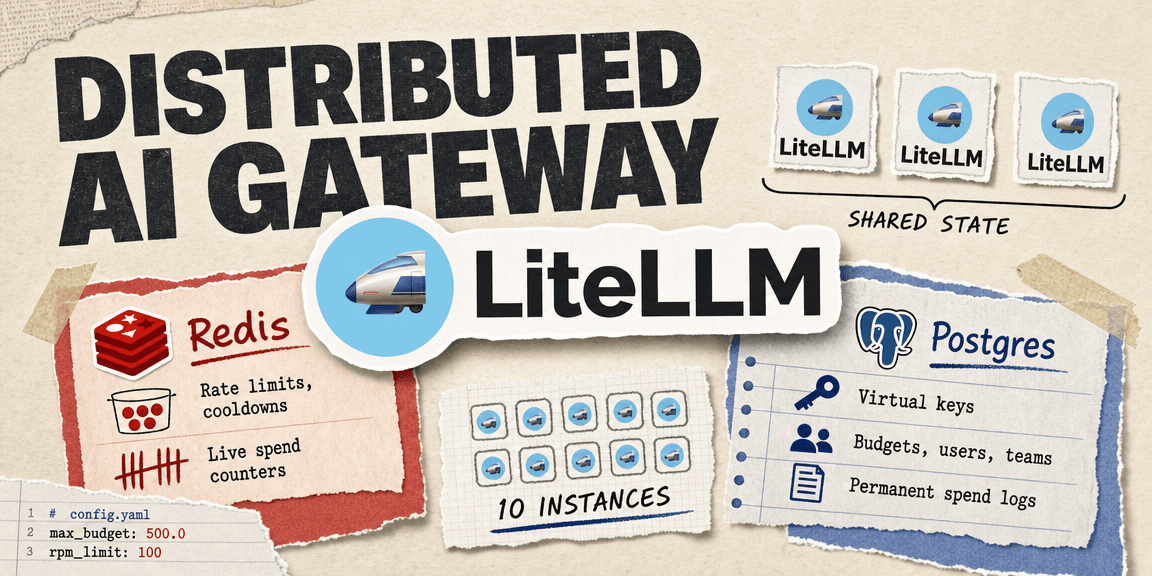
- Redis: Handles fast, ephemeral state (rate limits, cooldowns, live spend counters).
- Postgres: Handles durable, relational state (virtual keys, budgets, users, teams, and permanent spend logs).
This philosophy means you can deploy 10 instances of LiteLLM behind a load balancer, and they will act as a single, globally coordinated proxy cluster, out of the box, on the open-source tier. To enable this, your config.yaml points durable state to Postgres and router state to Redis:
general_settings:
  master_key: sk-master-123
  database_url: "postgresql://user:pass@db:5432/litellm"

router_settings:
  redis_host: "redis-cluster.internal"
  redis_port: 6379
  redis_password: "redis-password"
  enable_pre_call_check: true
Sharing Virtual Keys Safely
Beyond provider keys, LiteLLM allows you to generate Virtual Keys for your users, teams, or internal services.
Unlike the multi-node Postgres trap found in OSS Bifrost, multiple LiteLLM nodes can safely connect to the exact same Postgres database. When a request arrives with a Virtual Key, LiteLLM authenticates the key against the database, checks the user's budget, and updates the spend tracking as a shared durable state.
Because the truth lives externally, you can programmatically create a Virtual Key via the API, and every LiteLLM node in your cluster will instantly recognize it. Here is an example of creating a dynamically scoped key for a specific team with a hard monthly budget:
curl -X POST 'http://litellm-cluster:4000/key/generate' \
  -H 'Authorization: Bearer sk-master-123' \
  -H 'Content-Type: application/json' \
  -d '{
    "key_name": "marketing-team-prod",
    "models": ["gpt-5.2", "claude-3.5-sonnet"],
    "max_budget": 500.0,
    "budget_duration": "30d",
    "rpm_limit": 100,
    "metadata": {
      "team": "marketing",
      "environment": "production"
    }
  }'
Once generated, this key is instantly valid across all nodes. The API enforces the max_budget using the durable Postgres ledger and enforces the rpm_limit using the hot Redis counters.
Why This Matters for Your Architecture
LiteLLM is not chosen merely because it has a Virtual Key feature; many gateways have that. It is chosen because its state model natively supports Virtual Keys as globally coordinated budget subjects in open-source, multi-node deployments.
When your application's financial viability depends on never exceeding a provider's rate limits, and never letting a user exceed their assigned budget, you need a system that respects shared state. LiteLLM provides exactly that.
In our next post, we will put LiteLLM and Bifrost head-to-head to help you decide which architecture philosophy best suits your infrastructure needs.
Read more

Scaling AI Gateways: How to Pool API Keys and Survive Rate Limits
Learn how to overcome strict LLM provider rate limits by pooling API keys, and explore the 3-layer architecture required for distributed token tracking.

Architecting AI Gateway Budgets: Virtual Keys, Provider Keys, and Distributed Quota Enforcement
A blueprint for designing a global AI quota system. How to separate request execution from budget truth under high concurrency.

LiteLLM vs. Bifrost: Choosing an AI Gateway
A practical comparison of LiteLLM's Python-based distributed state and Bifrost's Go-based raw performance, to help you choose an AI gateway.