

React Native is incredibly easy to misunderstand if you come primarily from a web development background. You write standard React components, you use JavaScript or TypeScript, you run a familiar-feeling development server, and you get incredibly fast refresh capabilities. Because the workflow feels so close to building React on the web, it is extremely tempting to think of React Native as just a web application neatly wrapped in a mobile shell.
That mental model is entirely wrong.
React Native builds genuine native mobile apps. The UI is fundamentally not rendered into a browser DOM. There are no div or span elements, and there is certainly no hidden web page pretending to be an application. Instead, your React code simply describes a native interface, and React Native acts as the engine that turns that description into real iOS and Android components. Expo then builds on top of React Native by smoothing out the historically rough edges of mobile development, providing native configuration, development builds, file-based routing, over-the-air updates, cloud builds, and streamlined access to common device APIs. Once you deeply understand the boundary between the native runtime and the JavaScript bundle, the entire ecosystem becomes significantly less confusing.
React Native Is Not React DOM
React for the web renders directly to the browser DOM, whereas React Native renders to native UI primitives provided by the operating system.
| React web | React Native |
|---|---|
div | View |
span or p | Text |
img | Image |
| Browser DOM | Native iOS and Android views |
When you write something like this:
<View style={{ backgroundColor: "red" }}>
  <Text>Hello</Text>
</View>
React Native does not generate HTML under the hood. On iOS, it creates native UIKit views, and on Android, it creates native Android views. That structural distinction matters immensely for performance, styling, accessibility, gestures, native modules, and deployment. You are not shipping a website; you are shipping a compiled native application whose behavior just happens to be driven by a JavaScript engine.
The Two Programs Inside Every React Native App
The most critical concept to grasp in React Native is that your app is really two separate programs working together seamlessly.
Your mobile app

Native runtime <-> JavaScript bundle
The native runtime is the compiled app itself. It is written in platform-native languages and strictly built with native tooling. On iOS, that involves Xcode, Swift, and Objective-C. On Android, that means relying on Gradle, Kotlin, and Java. Conversely, the JavaScript bundle is your actual React application code, which contains your screens, components, navigation hierarchy, state management, and overarching business logic.
The native runtime houses the JavaScript engine, custom native modules, permissions, application metadata, app icons, splash screens, and the vital bridge that allows JavaScript to converse with native APIs. It is compiled, signed, platform-specific, and crucially, it cannot be changed on a user's device without a formal native update through the app store. The JavaScript bundle is far more flexible. During development, it can be seamlessly loaded directly from your computer over a local network. In production, it is typically bundled securely into the app binary, but with over-the-air updates, it can often be updated on the fly without requiring a full app store review.
The browser analogy often helps here: the native runtime is like the Chrome browser, while the JavaScript bundle is like the website. You can push updates to a website endlessly without requiring the user to update Chrome, but if you need a brand new browser feature that Chrome lacks, the browser itself must inevitably be updated.
What Actually Requires a Native Rebuild
This fundamental split explains one of the most common sources of friction and confusion for newcomers: why some changes update instantly on the screen while others frustratingly require a full native rebuild.
| Change | Native rebuild needed? | OTA update possible? |
|---|---|---|
| Fix UI copy | No | Yes |
| Add a new screen | No | Yes |
| Fix business logic | No | Yes |
| Add a JavaScript-only library | No | Yes |
| Add a native library | Yes | No |
| Change app icon | Yes | No |
| Change permissions | Yes | No |
If the change exclusively affects JavaScript, it can usually be refreshed instantaneously and is generally eligible for an over-the-air (OTA) update. However, if the change affects native device capabilities, system permissions, binary metadata, or introduces new native modules, you absolutely need a new native build. Mastering that single rule explains almost every development workflow decision in the React Native ecosystem.
What Expo Adds
Expo is a comprehensive platform purposefully built on top of React Native. It provides a much more complete development environment out of the box and expertly hides the vast majority of native build complexity until you actually need to interact with it.
In an Expo managed project, you rarely ever see the traditional ios/ and android/ folders. Instead, you gracefully configure native behavior through app.json, app.config.js, intelligent config plugins, and various installed packages. When it is eventually time to build the application, Expo can cleanly generate the necessary native projects for you via a single command:
npx expo prebuildThat powerful command creates the native ios/ and android/ projects entirely based on your high-level configuration and listed dependencies. Expo also provides heavily tested native modules, excellent development tooling, file-based routing through Expo Router, EAS Build for managed cloud builds, EAS Submit for automated app store submission, and EAS Update for deploying over-the-air JavaScript updates. The fundamental point is not that Expo removes native code from existence—it merely manages the complexity of it on your behalf.
Expo Go vs Development Builds
Expo Go is a highly convenient, prebuilt app actively maintained by the Expo team. You install it directly from the app store, run npx expo start on your machine, scan a QR code with your phone, and Expo Go instantly loads your JavaScript bundle. It is phenomenal for learning React Native and prototyping ideas rapidly, as you do not need to build anything natively before seeing your app functioning on a physical device.
The primary limitation is that Expo Go only contains the specific native modules already included by the Expo team. You fundamentally cannot test every possible native dependency, custom app icon behavior, production splash screen mechanics, universal links, or complex remote push notification setups natively within it.
A development build is entirely different. It is your own dedicated app binary, explicitly built for development, with the expo-dev-client library installed. You can easily think of it as your own custom version of Expo Go. It actually includes the specific native modules your app legitimately needs to function in production.
| Feature | Expo Go | Development build |
|---|---|---|
| Setup | Install from app store | Build your own app |
| Native libraries | Limited to Expo Go's included modules | Any native library you include |
| App icon and splash | Not your final app | Your real app configuration |
| Push notifications | Limited | Realistic testing |
| Best use | Learning and prototypes | Serious app development |
The practical rule is remarkably simple: start with Expo Go if it provides enough functionality for your current needs, but move to development builds the moment your app demands native behavior or third-party libraries that Expo Go simply cannot provide.
Development and Production Load JavaScript Differently
In a development environment, your physical phone usually loads the JavaScript bundle continuously from Metro, which is the local development server running seamlessly on your computer.
Phone running Expo Go or a dev build
        |
        | requests JavaScript bundle
        v
Metro dev server on your computer
That mechanism is exactly why your phone and your computer typically need to be connected to the exact same Wi-Fi network. It is also the underlying reason why fast refresh works so beautifully—the app is continuously polling code from a live development server.
In production, the architecture fundamentally shifts. The finalized JavaScript bundle is packaged securely inside the app binary itself.
YourApp.apk or YourApp.ipa
  native code
  assets
  main.jsbundle
The production app obviously does not need to connect to your local computer. It can launch flawlessly offline, and the JavaScript is heavily optimized and explicitly bundled for performance. EAS Update introduces a compelling hybrid model. The app initially ships with a bundled JavaScript version securely inside, but upon launch, it can quietly check for newer JavaScript updates and cache them dynamically on the device. This capability is incredibly powerful for shipping bug fixes and UI updates seamlessly, but it carries a hard, unyielding boundary: OTA updates absolutely cannot add new native capabilities or modules.
The Shape of an Expo Project
An Expo managed project is typically structured to cleanly separate pure JavaScript code, overarching native configuration, static assets, and essential build configuration.
your-project/
  app/              screens and routes
  components/       reusable UI
  hooks/            custom hooks
  constants/        shared values
  assets/           images and fonts
  app.json          native app configuration
  package.json      dependencies
  eas.json          EAS build and update config
The app.json file comprehensively controls crucial native app metadata.
{
  "expo": {
    "name": "My App",
    "slug": "my-app",
    "icon": "./assets/icon.png",
    "android": {
      "package": "com.company.myapp"
    },
    "ios": {
      "bundleIdentifier": "com.company.myapp"
    }
  }
}
The package.json file is critically important because the dependencies listed within it can frequently include native modules. Installing a purely JavaScript package and installing a package bundled with native code are fundamentally different actions with vastly different implications for your build pipeline.
React Native Is Still Frontend Code
While React Native can make a mobile app feel incredibly native, it emphatically does not magically turn frontend code into backend code. A React Native app should absolutely never connect directly to a production database. It should not contain raw database credentials, and it should never store private API secrets within its bundle. APK and IPA files can be trivially inspected by anyone, and JavaScript bundles can easily be extracted by malicious actors.
The correct, secure architecture remains the exact same as most modern frontend systems:
Mobile app <-> Backend API <-> DatabaseThe mobile app should communicate strictly with your API over secure HTTPS. Your API then safely handles complex authentication, robust authorization, thorough validation, strict rate limiting, and private database access. The database remains entirely private and hidden from the mobile client. Exposing an API URL in the client code is perfectly normal, as users can already easily intercept and view network traffic from their own devices. Genuine security does not come from hiding the API URL; it comes entirely from proper authentication, authorization, and rigid server-side enforcement.
Backend-as-a-service tools such as Supabase and Firebase continue to adhere strictly to this pattern. The client securely talks to an intermediary API layer, never directly utilizing raw database credentials with unlimited access. For example, Supabase's public anon key is explicitly designed to be safely exposed to the client, but it must inevitably be paired with proper authentication and strict row-level security on the database side.
const supabase = createClient(
  "https://xyz.supabase.co",
  "public-anon-key"
);

const { data } = await supabase
  .from("interviews")
  .select("*");
The underlying safety inherently comes from the strict policies actively running behind the API, not from pretending that the client-side key is a closely guarded secret.
The Mental Model to Keep
Ultimately, React Native is simply a native container running a highly capable JavaScript application. Expo acts as the robust platform that makes that container significantly easier to configure, build, seamlessly update, and eventually ship to users. Expo Go is a tremendously useful shared prebuilt container, while a development build acts as your own fully customized container. An OTA update uniquely alters the JavaScript running inside that container, completely separate from the container itself.
Once you clearly see and respect that boundary, the entire ecosystem makes substantially more sense. You instinctively understand why adding a new screen is instantaneous, why adding a native library demands a fresh build, why Expo Go eventually stops being sufficient for complex apps, and why mobile apps invariably still require a secure, dedicated backend. That is the entire React Native and Expo learning curve condensed into a single overarching concept: understand what safely lives in JavaScript, what strictly lives in native code, and exactly what crosses the critical boundary between them.
References
Read more
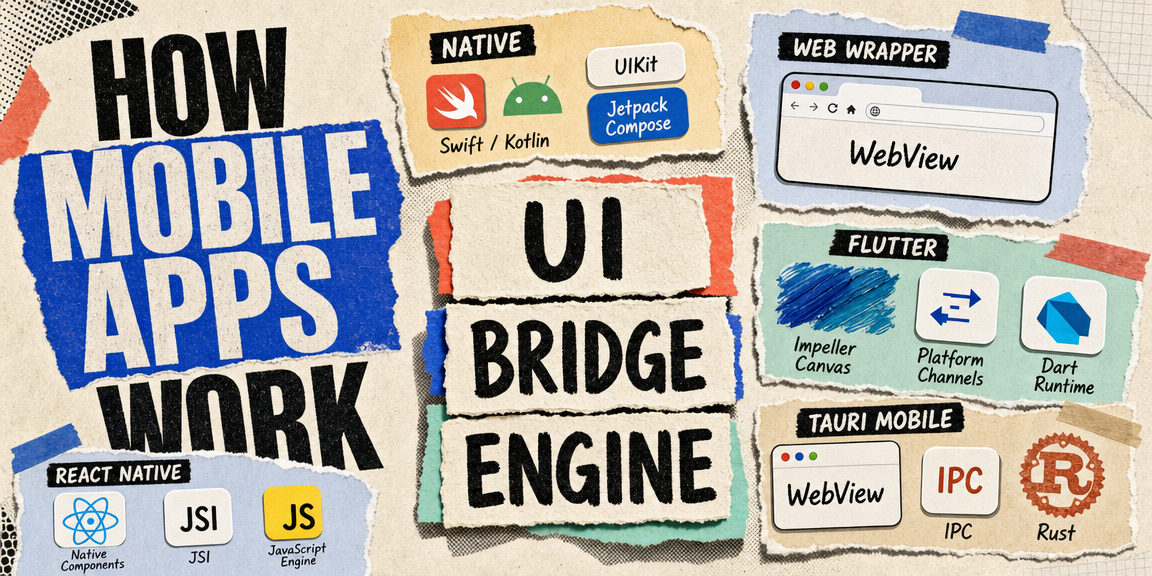
How Mobile Apps Work
The three ways to build a mobile app, what each one actually runs under the hood, and the shared architecture pattern behind React Native, Flutter, and Tauri mobile.

Architecting Reliable Mobile Billing
A real-world look at fixing mobile subscription billing when webhooks, sandbox purchases, and user identity break down.
![Meet Tauri [2.0]](/thumbnails/tauri-guide.png)
Meet Tauri [2.0]
How Tauri builds desktop apps from web technologies, where it puts the trust boundary compared to Electron, and the mindset shift from a website in a window to a native application.